PO Systems for Small Business: What They Do and How to Choose One
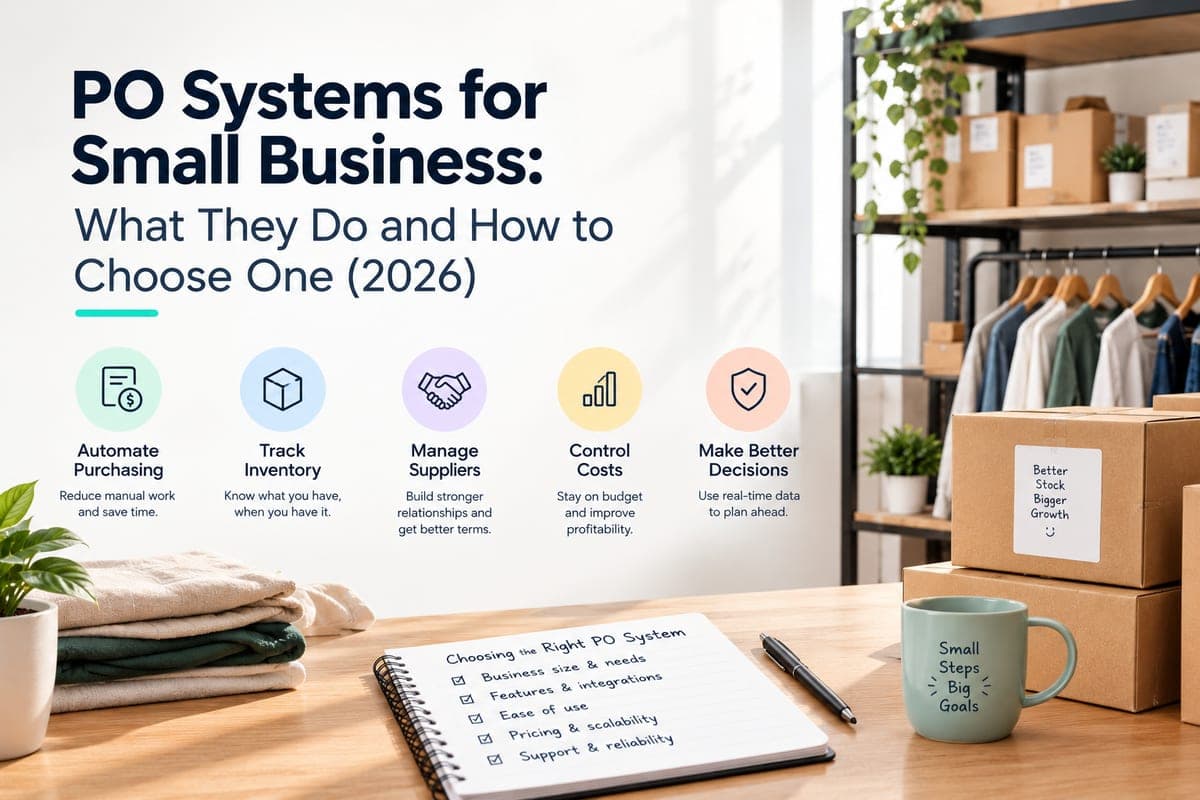
If you've ever paid an invoice twice, gotten billed for units you never received, or had a supplier swear they quoted you a different price than what showed up on the bill — you've felt the cost of not having a real PO system.
A purchase order (PO) system is the process and software a business uses to create, approve, track, and match purchase orders against what actually arrives and what actually gets billed. For a small business, the question isn't really "do big companies use these" — it's "at what point does my business start losing more money from not having one than it would spend setting one up."
Quick disambiguation: if you searched this looking for point-of-sale software — checkout registers, card readers — that's a "POS system," a different tool entirely. This guide is about purchase orders: the documents you send to suppliers, not the ones you use to sell to customers.
Table of Contents
- What Is a PO System?
- How a PO System Works: The Seven Steps
- Does a Small Business Need a PO System?
- Features a Small Business PO System Needs
- Types of PO Systems and Who Each Fits
- How Nventory Handles Purchase Orders
- How to Choose a PO System: A 7-Point Checklist
- Setting Up a PO Process in Your First Week
- Common PO Mistakes
- Sources and Further Reading
- Frequently Asked Questions
What Is a PO System?
A purchase order is a formal document a buyer sends to a supplier specifying what's being bought, how much, at what price, and by when. A "PO system" is the combination of process and software that creates that document, routes it for approval, sends it to the supplier, and then reconciles it against what's received and what's invoiced.
A well-run PO process also doubles as a budgeting and audit-trail tool: every commitment to spend is recorded before the money actually moves, which matters as much for a five-person business as it does for a large enterprise.
Four documents typically move through this process, and small businesses often confuse or skip some of them:
| Document | Who creates it | Purpose |
|---|---|---|
| Purchase requisition | Internal (staff requesting a purchase) | Internal request and approval before a PO is even sent |
| Purchase order (PO) | Buyer, sent to supplier | The binding commitment: what, how much, at what price |
| Receiving report / goods receipt | Buyer, on delivery | Records what actually arrived, and when |
| Invoice | Supplier, sent to buyer | The supplier's bill for payment |
A PO system's core job is keeping these four in sync so nobody pays for something that was never ordered, never arrived, or arrived at a different price than agreed.
How a PO System Works: The Seven Steps
- Requisition — someone identifies a need (stock is low, a project needs materials) and requests a purchase.
- PO creation — the request becomes a formal PO with SKU, quantity, unit price, delivery date, and supplier terms.
- Approval — depending on the amount, the PO may need sign-off from a manager or owner before it's sent.
- Sending — the PO goes to the supplier by email, EDI, or a supplier portal.
- Receiving — when goods arrive, they're checked against the PO and logged as received, fully or partially.
- Invoice matching — the supplier's invoice is checked against the PO and the receiving report. This is three-way matching.
- Payment — once matched, the invoice is approved for payment.
Three-way matching is where a real PO system earns its keep. A concrete example: you place a PO for 500 units at $8.00 each, or $4,000 total. Only 450 units actually arrive. If the supplier still invoices for all 500 units, a two-way match — PO against invoice only — approves the payment, because the invoice matches the PO. A three-way match catches it, because the receiving report shows 450 units received, flagging a $400 overbilling before you pay it.
AccountingTools describes three-way matching as matching the invoice, PO, and receiving report specifically to confirm a payment should be made. That discrepancy check is the single biggest reason small businesses adopt a formal PO process instead of emailing suppliers and hoping for the best.
Does a Small Business Need a PO System?
Not on day one. A two-person shop ordering from the same supplier once a month can usually manage on trust and a spreadsheet. The tipping point tends to show up along a few signals:
- You're managing 5+ active suppliers, and remembering verbal agreements or scattered email threads is starting to cause errors.
- You're spending 3+ hours a week chasing down what was ordered, what arrived, and what's owed — a threshold our supplier management guide uses as a practical signal that manual processes have stopped scaling.
- You've been billed for something you didn't receive, or paid twice for the same order, more than once.
- You're growing SKU count or order volume to the point where "I'll remember" is no longer realistic.
- You need an audit trail — for a lender, an investor, or your own tax records — showing what was purchased, approved, and received.
If none of these apply yet, a simple template is fine. If two or more do, it's worth moving to dedicated software before the cost of not having one — overpayments, stockouts, wasted staff time — exceeds the cost of the tool.
Features a Small Business PO System Needs
| Start-now essentials | Grow-into-later |
|---|---|
| PO creation from a template or auto-generated | Multi-level approval workflows |
| Supplier and item database | Automated invoice capture and OCR matching |
| Basic approval step (even just "owner reviews before sending") | Budget and spend-limit enforcement per department |
| Receiving against the PO (full or partial) | EDI integration with large suppliers |
| PO status tracking (draft, sent, partially received, closed) | Advanced supplier performance analytics |
| Export or sync to accounting software | Procurement-specific reporting and dashboards |
Most small businesses only need the left column to start. The right column matters once you have multiple approvers, dozens of suppliers, or a finance team that needs procurement controls — usually a later-stage problem, not a day-one one.
Types of PO Systems and Who Each Fits
| Type | Best for | Limitation |
|---|---|---|
| Spreadsheet or template | Pre-revenue or single-supplier businesses | No automation, no receiving or matching, error-prone at scale |
| Accounting software with PO features | Businesses that already run their books there and want POs in the same place | PO features are often basic and not built around inventory |
| Inventory-linked PO system | Product businesses where POs are driven by stock levels and reorder points | Not a full procure-to-pay suite |
| Procure-to-pay platform | Multi-department businesses needing formal approval chains and spend control | Overkill and costly for a small, single-location business |
The right fit depends less on company size and more on what's driving your purchasing: if it's stock levels and reorder points, an inventory-linked system does more useful work than a generic PO tool bolted onto your books.
How Nventory Handles Purchase Orders
Because Nventory is built around inventory management first, its PO features are tied directly to stock data rather than existing as a standalone module. In practice, that means:
- Reorder-point alerts and demand-based recommendations help you create POs at the right time and for the right quantities, so purchasing decisions are based on actual stock levels rather than guesswork. The purchase order glossary entry walks through the full flow.
- Receiving against the PO updates stock levels automatically as items are checked in, with quantity and quality verified and discrepancies — short shipments, damaged goods, wrong items — documented at the point of receipt. The free PO generator tool is a way to try the format before signing up for anything.
- Open PO data feeds available-to-promise calculations, so stock that's on order but not yet received can factor into what you tell customers is available, rather than being invisible until it physically arrives.
- PO history and supplier performance metrics are tracked per supplier over time.
- Syncing to accounting platforms including QuickBooks and Xero keeps purchasing and bookkeeping data aligned without manual re-entry.
Where Nventory is not the right fit: it's an inventory-first tool, not a full procure-to-pay suite. It doesn't offer multi-level approval chains, automated invoice-capture and OCR matching, or department-level spend controls the way a dedicated procurement platform does. If your business needs formal multi-approver sign-off across departments before anything gets ordered, a dedicated procure-to-pay tool — or pairing inventory-driven POs with your accounting software's approval features — is the more honest recommendation. For most small product businesses, though, the gap that actually costs money is disconnected inventory and purchasing data, which is what Nventory is built to close.
How to Choose a PO System: A 7-Point Checklist
- Is purchasing driven by inventory levels, or by project and department budgets? Inventory-driven points to inventory-linked systems. Budget-driven points to accounting-software or procure-to-pay tools.
- How many people need to approve a PO before it's sent? One, and almost any tool works. Multiple, tiered by amount, and you need real approval workflows.
- Does it need to talk to your accounting software? Check for a direct sync, not just CSV export, if you want to avoid double entry.
- Can it handle partial receiving? Suppliers rarely ship 100% of an order at once, and a tool that can't track partial receipts will give you inaccurate stock and matching data.
- What does three-way matching actually require? Some tools automate it fully; others just show you the three documents side by side to check manually. Know which you're getting.
- What's the real cost at your current order volume? Per-user or per-PO pricing gets expensive fast; model it against your actual monthly PO count, not the sticker price.
- Will you outgrow it in 12 months? If you're scaling suppliers or SKUs quickly, weigh a slightly more capable tool now against a costly migration later.
Setting Up a PO Process in Your First Week
- Pick a PO numbering format such as
PO-2026-001and stick to it. Consistency matters more than the format itself. - Set an approval threshold. Even a simple rule like "orders over $500 need owner sign-off" prevents surprises.
- Standardise a PO template with supplier, SKU, quantity, unit price, delivery date, and payment terms every time.
- Establish a "no PO, no purchase" rule for anyone authorised to buy on the business's behalf. This alone closes most of the gap that causes billing disputes.
- Require receiving to be logged the same day goods arrive, even if it's just ticking a box. Delayed receiving is the most common reason matching breaks down.
- Match before paying. Even a manual two-minute check against the PO and receiving report catches most billing errors.
- Keep PO records for at least three years. The IRS's general recordkeeping guidance recommends this window depending on the type of expense and event recorded, and purchase records are exactly the kind of documentation that matters in an audit.
Common PO Mistakes
- Skipping POs for "small" or "urgent" orders. These are disproportionately where billing errors and duplicate payments happen, because there's no record to check against.
- Approving invoices without checking receiving data. A two-way match alone misses short shipments and quantity discrepancies.
- Letting POs stay open indefinitely. An unclosed PO after a partial receipt distorts available-to-promise and reorder calculations.
- Using outdated supplier pricing. If the PO template pulls last quarter's cost, you'll approve invoices at the wrong price without noticing.
- No single source of truth. POs in email, receiving on paper, and invoices in accounting software with nothing tying them together defeats the purpose of having a process at all.
Sources and Further Reading
- Purchase order — Wikipedia — general reference on PO structure and terminology
- What Is Three-Way Matching? — AccountingTools — the matching process and why the receiving report is the piece that catches short shipments
- How long should I keep records? — IRS.gov — official recordkeeping windows for business documentation
- U.S. Small Business Administration — general guidance on small-business financial controls and recordkeeping
Closing
Purchasing shouldn't be the part of running a small business where money quietly leaks out. If your POs, receiving, and stock levels are still living in separate places, connecting them is what turns a reactive process into a controlled one.
Frequently Asked Questions
A PO system is the process and software a business uses to create, approve, send, and reconcile purchase orders against what's received and invoiced. It exists to make sure a business only pays for what it actually ordered and actually got.
Not always immediately. A business with one or two suppliers can often manage manually. Once you are managing five or more suppliers, spending several hours a week chasing order status, or have been overbilled more than once, a dedicated PO system typically pays for itself quickly.
No. A PO system manages purchases from suppliers; a POS system manages sales to customers at checkout. They solve unrelated problems despite the similar abbreviation.
A PO number, supplier name, itemized SKUs and quantities, agreed unit price, delivery date, shipping terms, and payment terms. Missing any of these makes later matching and disputes harder to resolve.
Once a supplier accepts it, a PO generally functions as a binding contract for the specified goods, quantity, and price, which is why accuracy at the creation step matters. Exact treatment depends on the terms and your jurisdiction, so check with a professional for anything contentious.
Two-way matching compares the PO against the invoice and catches price discrepancies, but it misses short shipments, such as being billed for 500 units when only 450 arrived. Three-way matching adds the receiving report and catches that gap, which is the most common source of small-business overpayment.
Yes, for a low volume of orders and suppliers. It stops scaling once you need approval workflows, automatic stock updates on receiving, or a reliable audit trail. At that point, errors from manual tracking usually cost more than switching tools.
It depends on what drives your purchasing. If it is inventory levels and reorder points, an inventory-linked system does more relevant work than a generic tool. If it is departmental budgets and multi-level approvals, a procure-to-pay platform or your accounting software's PO module is a better fit.
Costs vary widely, from free spreadsheet templates to low monthly tiers on inventory or accounting platforms, up to enterprise procure-to-pay pricing for larger teams. Match the tool to your actual order volume rather than picking the most feature-rich option available.
Open POs represent stock that is ordered but not yet on hand. When purchasing and inventory data are connected, that on-order quantity can factor into available-to-promise and reorder calculations. When they are disconnected, with POs in email and inventory in a separate system, that stock is effectively invisible until it physically arrives.
The IRS's general guidance is a minimum of three years for most business records, though certain situations extend that window. It is worth keeping PO, receiving, and invoice records together for at least that long.
Related Articles
View all
Best Inventory Management Software in India in 2026: Matched by Business Model
Best inventory management software in India, matched by business model, honest pricing, and what top Indian ecommerce operators actually run in 2026.
Order Management System Software: The Definitive 2026 Reference for Scaling Brands
Order management system software explained for 2026, how it works, which tier fits your business, and how to evaluate it without getting burned.