What Is Hermes Agent, and How Can an Ecommerce Store Actually Use It?
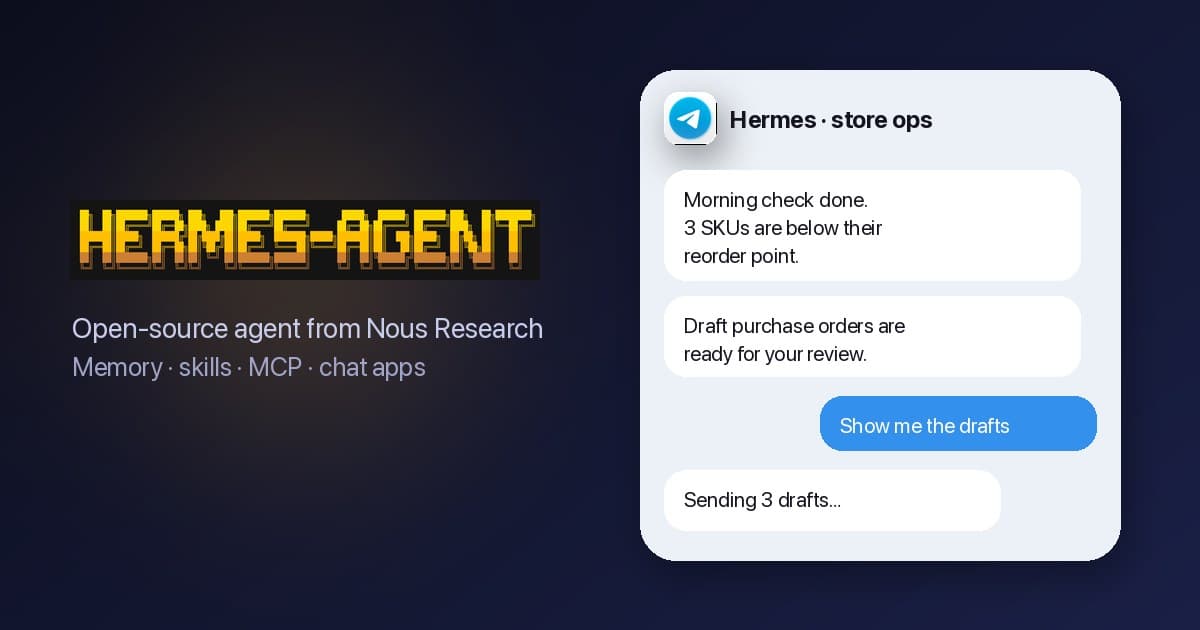
Could a piece of software check your stock every weekday at 7am, post the items running low to Slack, and still be unable to change a single price? That narrow, dependable helper is what many store owners have in mind when they look up Hermes Agent.
Hermes Agent is a free AI assistant from Nous Research. Its code is open source, so anyone can read it and run it. It lives on a computer or server you control and keeps a short memory of how you like things done. When it solves a task, it can save the steps as reusable instructions it calls skills. You message it from Slack or Telegram, connect it to your order and inventory data, and give it checks to run on a schedule. Think of a stock-risk report each morning, a list of orders stuck for more than 48 hours, or draft supplier purchase orders (POs) for you to approve.
This guide explains how it works and how it differs from OpenClaw. It then covers installing it, connecting store data, seven workflows worth setting up, and the safety rules that keep an agent from becoming a liability. In the worked example near the end, seven routine checks shrink from about 6.7 hours of manual work a week to about 2.3 hours of review.
One note on the name: many people searching "Hermes agent" want the fashion house or the parcel carrier. This article is about the AI agent.
What's in this guide
- What Hermes Agent is, in plain English
- The four parts that matter to a store
- Hermes Agent vs OpenClaw
- Installing Hermes Agent
- Connecting it to store data through MCP
- Seven store workflows, with example prompts
- Safety rules before you give it real access
- Worked example: hours saved per week
- What to do this week
What Hermes Agent is, in plain English
Think of Hermes Agent as a junior operations assistant that lives on a computer you control. You message it, it reads what it's allowed to read, uses the tools you've connected, and replies. Unlike a chatbot tab, it keeps running after you close the window.
Nous Research also makes the Hermes family of open-weight language models, meaning anyone can download the model files and run them. It listed Hermes Agent on its releases page on February 25, 2026 as "an autonomous agent that lives on your server, remembers what it learns, and gets more capable the longer it runs." The Hermes Agent GitHub repository uses the MIT licence, which lets you use and change the code for free. It calls the project "the agent that grows with you," and had about 249,000 stars in late September 2026.
The project grew fast enough to move money. TechCrunch's July 2026 report on Nous Research's funding talks said the company was raising at least $75 million at a $1.5 billion valuation. The same report said the cloud-hosted version was sold in paid tiers from $20 to $200 a month.
It is not tied to one AI model. The README lists Nous Portal, OpenRouter, OpenAI and custom endpoints, so you can point it at the model your budget and data policy allow.
The four parts that matter to a store
Hermes has dozens of features. Four of them decide whether it's useful for running a store.
1. Memory
The Hermes memory documentation describes two small files: MEMORY.md (the agent's notes on your setup, capped at 2,200 characters) and USER.md (your preferences, capped at 1,375 characters). Both load into every new session. Past conversations are stored in a small database file on the same machine, and the agent can search them.
In practice, you tell it once that "stuck" means unshipped for 48 hours, or that your Amazon account is the one you care most about, and it stops asking. The caps are tight on purpose, so it remembers conventions, not your whole catalog. Catalog and order data should come from live tools, not memory.
2. Skills it writes itself
A skill is a plain-text file of instructions, written in the simple Markdown format: when to use it, the steps, the pitfalls, how to check the result. The Hermes skills documentation says the agent saves a new skill when it has "worked out a multi-step workflow worth repeating," and that it writes skills freely by default. You can turn on skills.write_approval so new skills wait in a pending folder until you approve them.
This is the headline difference from most agents. The first time you walk it through building a stuck-orders report, it can save the procedure. The next time, it follows the saved steps.
3. The messaging gateway
The gateway connects Hermes to Telegram, Discord, Slack, WhatsApp, Signal, Microsoft Teams, Google Chat, iMessage (through the BlueBubbles app) and email. Your ops lead can ask "how many units of the blue hoodie in medium do we have across all warehouses?" from a phone without logging into anything.
4. The scheduler
The Hermes scheduled-tasks documentation shows three ways to create scheduled jobs, often called cron jobs after the old Unix scheduler. You can describe them in plain language ("every morning at 9am…"), use the /cron chat command, or run hermes cron create. Output can go to the chat that created the job, to Slack, Telegram, Discord or a local file. Most of the store value sits here: reports that arrive before you ask.
Hermes Agent vs OpenClaw
OpenClaw is the agent most operators tried first. We covered it in our guide to OpenClaw for ecommerce operations, and both agents appear in our overview of how AI agents are changing online shopping. They look similar from a distance: both are self-hosted, both talk through chat apps, both use Markdown skills and both connect to MCP servers. (MCP is a common standard for plugging an AI agent into business software; there is more on it below.) The differences show up in the details below, drawn from each project's own docs. For a deeper head-to-head, including monthly running costs, each project's security record and the same three store jobs built in both, see our Hermes Agent vs OpenClaw comparison for store operators.
| Hermes Agent | OpenClaw | |
|---|---|---|
| Maker and licence | Nous Research, MIT | OpenClaw Foundation, MIT |
| Runtime | Python | Node.js (24.16+ or 26.1+) |
| GitHub stars (Sep 2026) | ~249,000 | ~391,000 |
| Memory | Two capped files (MEMORY.md, USER.md) loaded each session, plus full-text search over past sessions | Markdown files (USER.md, MEMORY.md, daily notes); a background "dreaming" pass consolidates notes; hybrid vector and keyword search |
| New skills | Agent writes them itself by default; optional approval gate | Agent edits its own skills by default (self-learning is set to "auto") |
| Skill marketplace | Skills Hub; hub installs pass a security scanner, and "dangerous" verdicts can't be overridden | ClawHub; shows VirusTotal, ClawScan and static-analysis results before install |
| Command safety | Approval modes (smart by default), a hardline blocklist, protected credential paths | Tools run on the host by default; sandboxing available |
| Chat access control | DM pairing codes and per-platform allowlists; default deny | DM pairing approval on DM-capable channels |
| Messaging channels | Telegram, Discord, Slack, WhatsApp, Signal, Teams, Google Chat, iMessage (via BlueBubbles), email, CLI | Discord, iMessage, Slack, Teams, Telegram, WhatsApp, Google Chat, Signal and "20+ more" |
| MCP | mcp_servers in ~/.hermes/config.yaml; stdio and HTTP; include/exclude tool lists; OAuth | mcp.servers in config; stdio, SSE and Streamable HTTP; toolFilter include/exclude; OAuth |
| Hosting | Self-host (Linux, macOS on Apple Silicon, WSL2, Windows, Android via Termux) or first-party Hermes Cloud | Self-host on a laptop or shared server; Docker and Nix supported |
A few terms in that table: stdio means the MCP server runs as a program on the same machine, while HTTP means the agent calls it over the web. OAuth is the standard "sign in and grant access" flow. DM pairing makes a person enter a one-time code before the agent will answer their direct messages. The OpenClaw column draws on the OpenClaw GitHub README, OpenClaw's skills documentation and OpenClaw's guide to connecting MCP servers.
What the table means for a store. The skills row matters most. Hermes learning on its own is convenient, but it also means procedures can change without anyone reading them. If you run Hermes on anything that touches money, turn on the write-approval gate so you get OpenClaw-style review. If you're comparing agents against no-code tools, our comparison of OpenClaw, Zapier and custom bots covers when a fixed automation is the better choice. Because both agents speak MCP, the store integration you build carries over if you switch.
Installing Hermes Agent
The Hermes installation guide gives one command for Linux, macOS and WSL2 (the Linux environment built into Windows):
curl -fsSL https://hermes-agent.nousresearch.com/install.sh | bash
And one for Windows PowerShell:
iex (irm https://hermes-agent.nousresearch.com/install.ps1)
Then reload your shell and configure it:
source ~/.bashrc          # or ~/.zshrc
hermes                    # start chatting
hermes model              # choose the AI model provider
hermes tools              # enable or disable tools
hermes gateway setup      # connect Telegram, Slack, etc.
hermes doctor             # diagnostics if something breaks
Two practical notes. On macOS, the guide lists Apple Silicon only. And a script piped into bash runs with your permissions, so install on a machine dedicated to the agent, not the laptop that holds your payment processor login.
Self-hosted or Hermes Cloud? The Hermes Cloud pricing page lists a Medium instance at $0.56 a day running and a Large at $1.09 a day, with model inference billed on top. Optional Nous Portal plans run $20, $100 and $200 a month and include slightly more than their price in credits. A Medium instance running all month is $16.80 before inference. A small rented server that you manage yourself (a VPS) is the other route. The software costs nothing either way.
Connecting it to store data through MCP
An agent is only as useful as the data it can reach. MCP (Model Context Protocol) is the standard plug between an AI agent and a business system. The system publishes a list of tools, such as "list orders" or "get stock level," and the agent calls them. If you're new to it, start with our explainer on what MCP is and why it matters for ecommerce.
Connect one source of stock and orders, not one per channel
The tempting setup is one MCP server per sales channel: Shopify, Amazon, eBay, TikTok Shop. That gives the agent four versions of the truth and four sets of credentials to guard. Ask "how many units do we have?" and it has to add up numbers that may be minutes apart.
The cleaner setup connects the agent to the software that already merges those channels: your order management and inventory platform. Nventory's MCP server for orders and inventory is one example of an endpoint you could point Hermes at. The agent then reads one stock number per SKU and one order list with the channel marked on each order. (A SKU is one product variant you sell, such as a medium blue hoodie.)
The Hermes config
The Hermes MCP documentation puts servers under mcp_servers in ~/.hermes/config.yaml. A remote (HTTP) server with a read-only allowlist looks like this. The tool names are examples; use the names your server publishes.
mcp_servers:
  store_ops:
    url: "https://your-oms.example.com/mcp"
    headers:
      Authorization: "Bearer ${STORE_OPS_READ_TOKEN}"
    tools:
      include: [list_orders, get_order, get_inventory_levels,
                list_products, get_sales_by_channel]
      prompts: false
      resources: false
Three details in that block matter.
includeis an allowlist. Only the listed tools reach the agent. The docs say that if you set bothincludeandexclude,includewins, so an allowlist is the safer default.${STORE_OPS_READ_TOKEN}is read from an environment variable (a setting stored on the machine) when the server connects, so the token never sits in the config file itself.- The token should be read-only on the server side too. The allowlist is a second lock, not the only one.
After editing, run /reload-mcp in a chat to refresh the tool list without restarting. OpenClaw users will find the same ideas in our step-by-step OpenClaw MCP configuration guide.
Seven store workflows, with example prompts
Each workflow below assumes the read-only connection above. Schedule the recurring ones with /cron or in plain language, and deliver them to a Slack channel your team already watches. For a wider map of agent jobs across operations, see our complete guide to AI agents for ecommerce operations.
1. Morning stock-risk report
Every weekday at 7am, pull stock levels and 14-day sales for all active SKUs.
List every SKU with fewer than 10 days of cover (units on hand / average
daily units sold). Sort by days of cover, show channel split of sales, and
flag any SKU with an open PO arriving after it runs out. Post to #ops.
This replaces the spreadsheet you rebuild each morning. Decide the "days of cover" threshold with the reorder point calculator rather than a round number, and save the rule to the agent's memory.
2. Orders stuck for more than 48 hours
Every day at 10am and 3pm, list orders paid more than 48 hours ago with no
shipment or tracking number. Group by fulfilment location and channel. For
each, show order ID, age in hours, SKUs and the likely cause (out of stock,
address hold, waiting on our outside warehouse). Highlight marketplace orders close to the
channel's ship-by deadline.
Marketplaces measure late shipments order by order. Catching them at hour 48 rather than on a weekly scorecard is the difference between a fix and an account warning.
3. Draft supplier purchase orders for review
Every Monday, for SKUs under their reorder point, draft a purchase order per
supplier using our reorder quantities and last unit cost. Do NOT submit
anything. Post the drafts to #purchasing as a table with SKU, qty, unit cost,
line total and PO total, and wait for a human to approve.
Drafting is the slow part; approving is quick. Keep this one read-only at first: the agent posts a table, a buyer copies it into the PO. Only later give it a tool that creates a draft PO, never one that sends it. Use the safety stock calculator to set the buffer the draft uses (safety stock is the spare stock you keep for late deliveries or sudden spikes).
4. Price-change alerts
Every 4 hours, compare each SKU's current price on every channel with
yesterday's snapshot. Alert me if any price moved more than 5%, if the same
SKU is priced more than 10% apart across channels, or if any price is below
the floor in our pricing sheet. Include who or what changed it if the data
shows it.
A bad bulk edit or a repricing tool gone wrong can sell a week of inventory at a loss before anyone opens a dashboard. This version only reads your own prices. Watching competitor pages needs the browser tool, which is slower and riskier; add it later if at all.
5. "What's my best seller on TikTok this week?"
What was my best-selling product on TikTok Shop this week by units and by
revenue? Compare with the same week last month, and tell me how many days of
stock it has left across all locations.
You get an answer on your phone in seconds, without opening a report. The last clause is the useful part. A TikTok best seller that goes viral can empty your shared stock and oversell on every other channel, so the stock number has to be the combined figure.
6. Oversell and sync-health check
Every morning, list any order from the last 24 hours for a SKU whose stock
was zero or negative at the time of sale, and any SKU where a channel's
listed quantity differs from our available quantity by more than 2 units.
Oversells (selling stock you no longer have) rarely come from one big failure. They come from small drifts nobody checks. A daily list turns them into a five-minute fix.
7. Weekly returns pattern
Every Friday, list the 10 SKUs with the highest return rate over the last
30 days (minimum 20 units sold). Group return reasons, and flag any SKU
whose return rate doubled versus the previous 30 days.
A size chart error or a bad batch shows up in return reasons weeks before it shows up in reviews.
Tip: after a workflow gives the answer you want two or three times, ask Hermes to save it as a skill. With the write-approval gate on, you read the procedure before it becomes permanent. That is also your chance to spot a wrong assumption, such as counting cancelled orders as sales.
Safety rules before you give it real access
An agent with store access is a new staff account that works around the clock and never gets tired of trying. Treat it like one.
Give it the narrowest access that works
Create a dedicated API token for the agent. A token is a password-like key that lets software read or change your store data, and each one can be limited to certain data. Limit this one to exactly what its workflows need. Don't reuse your admin token. If the stock report doesn't need customer names and addresses, the token shouldn't be able to read them. Then use the Hermes include list as a second lock on the agent side.
Read-only first
Run every workflow read-only for at least two weeks. You'll learn where the agent misreads data (timezone boundaries, cancelled orders, bundles) while the worst it can do is post a wrong table.
Human approval for writes
When you add a write tool, make the tool itself safe: it creates a draft, a pending change or a suggestion, and a person commits it. The Hermes security guide describes an approval system for dangerous terminal commands, with smart, manual and off modes and a separate cron_mode for scheduled jobs. That system is built around shell commands. Don't assume it also stops an MCP tool call like "update price," so enforce write limits in the tool list and on the server.
For scheduled jobs, set approvals.cron_mode: deny so nothing unattended can run a risky command, and keep approvals.mode at smart or manual. Never run it with off (the "yolo" mode) on a machine with store credentials.
Skill supply-chain risk
Skills are instructions the agent follows, sometimes with scripts attached. A malicious one is an attacker writing your agent's to-do list. This isn't hypothetical. Palo Alto Networks Unit 42's June 2026 research on OpenClaw skill supply-chain risk found five malicious skills on ClawHub that had not been blocked. Two delivered macOS infostealers (malware that copies saved passwords and files) and one injected affiliate links into the agent's recommendations. It also cites early-2026 disclosures that about 17% of OpenClaw skills analysed in the platform's first weeks carried malicious payloads.
Hermes scans hub installs for three things: attempts to send your data elsewhere, prompt injection (hidden text that tries to take over the agent's instructions) and destructive commands. It and blocks "dangerous" verdicts. A scanner catches known patterns, not intent. So:
- Read every third-party skill line by line before installing, including any scripts it ships.
- Prefer skills you or your team wrote. For store work, the few you need are short.
- Don't use
--forceto override scanner warnings. - Run
hermes skills checkbeforehermes skills update, and read what changed upstream. - Turn on
skills.write_approvalso the agent's own skills get the same review.
Secrets handling
The Hermes security guide recommends storing secrets in ~/.hermes/.env with chmod 600 so only your account can read it. It also recommends running as a normal user rather than the administrator, and using the Docker terminal backend, which runs commands in a sealed-off container. Its production checklist also says never to set GATEWAY_ALLOW_ALL_USERS=true; use allowlists or DM pairing so only your team can message the agent. The agent already blocks writes to paths like ~/.ssh/ and ~/.aws/, and MCP subprocesses get only a minimal set of environment variables. Don't undo that by pasting tokens into chat, where they end up in session history.
One more rule: never give the agent payment credentials or a card. None of the seven workflows above need them.
Worked example: hours saved per week
Example: a four-channel store (Shopify, Amazon, TikTok Shop, eBay) shipping about 600 orders a week. These are illustrative assumptions, not measured results. Replace them with your own timings.
| Workflow | Manual time / week | Review time with agent / week |
|---|---|---|
| Morning stock-risk report (5 days) | 20 min × 5 = 100 min | 5 min × 5 = 25 min |
| Stuck-order check (5 days) | 15 min × 5 = 75 min | 5 min × 5 = 25 min |
| Supplier PO drafts (2 suppliers) | 45 min × 2 = 90 min | 15 min × 2 = 30 min |
| Price checks (3 per week) | 30 min × 3 = 90 min | 5 min × 3 = 15 min |
| Channel best-seller question | 15 min | 5 min |
| Oversell / sync check (5 days) | 4 min × 5 = 20 min | 1 min × 5 = 5 min |
| Returns pattern (weekly) | 10 min | 5 min |
| Total | 400 min (6.7 h) | 110 min (1.8 h) |
Add 30 minutes a week for upkeep: reading skill changes, checking a report that looked off, adjusting thresholds. That brings agent time to 140 minutes (about 2.3 hours).
In plain English: the agent gives back a little over four hours a week. At $25 an hour that is about $470 a month, against about $17 a month in hosting plus model fees.
Time saved   = 400 − 140          = 260 min/week ≈ 4.3 hours
Value        = 4.33 h × $25/hour  ≈ $108/week
Per month    = $108 × 52 / 12     ≈ $469/month
Hosting      = Hermes Cloud Medium, $0.56 × 30 ≈ $16.80/month + model usage
The hosting cost is small; model usage is the number to watch, because it depends on how many tool calls each report makes and which model you pick. Run the workflows for a week, read your provider's usage figure, and subtract it. If a workflow costs more in tokens than the time it saves, drop it.
Two things the arithmetic leaves out. First, the stuck-order and oversell checks are worth more than their minutes, since one avoided marketplace penalty or oversold launch pays for months of review time. Second, the first two read-only weeks cost extra time while you check the agent's answers against your own. Budget for that before you count savings. For the inventory-specific version of this, including reordering, see our guide to AI agents for inventory management.
What to do this week
- Pick a machine dedicated to the agent: a small VPS, a spare Apple Silicon Mac, or Hermes Cloud. Not your daily laptop.
- Run the install command, then
hermes modelto choose a model. Check what that provider does with the data you send. - Run
hermes gateway setupfor Slack or Telegram, turn on DM pairing or an allowlist, and leave allow-all off. - Create a read-only store token for your order and inventory system and connect it through
mcp_serverswith anincludelist. - Set
skills.write_approval: trueandapprovals.cron_mode: deny, and move secrets to~/.hermes/.envwithchmod 600. - Switch on two workflows, the morning stock-risk report and the stuck-orders check, and compare them with your own numbers for a week.
- Save the workflows that work as skills, read them, then add the next one. Leave write tools for month two.
An agent can only report the numbers it is given, so merge your channel stock into one count before you connect one. Nventory's Free plan connects one channel with unlimited orders and no card. Its MCP server gives Hermes that single count to read, and the pricing page covers plans with more channels.
Frequently Asked Questions
The software is free and MIT-licensed, so you can run it on your own computer or server at no licence cost. You still pay for the language model it calls, unless you run a local model. Nous Research also sells Hermes Cloud, a hosted version billed per instance-day, with optional Nous Portal subscriptions from $20 to $200 a month that include model credits.
No. Hermes Agent is an open-source AI agent from Nous Research, an AI lab founded in 2023. It has nothing to do with the French fashion house Hermès or any Hermes parcel carrier. Nous Research also publishes a family of open-weight language models under the Hermes name.
Pick the one your team can run safely. Hermes suits operators who want an agent that learns repeatable procedures on its own and ships with a strong command-approval system. OpenClaw has the larger skill registry and more messaging channels, and its agent proposes new skills for human review instead of writing them itself. Both connect to MCP servers (standard connectors between an AI agent and business software), so your store integration carries over if you switch.
Not directly out of the box. It connects to whatever MCP servers you configure (MCP is the standard way to plug an agent into business software), so it can reach any store, marketplace or order management system that exposes one. If your channels feed into a single order and inventory system with an MCP server, one connection gives the agent all of them. A browser tool exists too, but it is slower and riskier for store admin work.
Skills are Markdown instruction files (SKILL.md) stored in ~/.hermes/skills/. Each one describes when to use it, the procedure, pitfalls and how to verify the result. Hermes can write new skills itself after solving a multi-step task, and you can install more from its Skills Hub. Hub skills go through a security scanner, but you should still read any skill before installing it.
Only if you give it a tool that can. The agent can do whatever the connected MCP servers, its links to your business systems, allow. That is why you start with read-only tools, add write tools one at a time, and design those write tools to create drafts that a person approves, such as a draft purchase order rather than a submitted one.