Amazon Inventory Management Software: The Complete Guide for Sellers in 2026
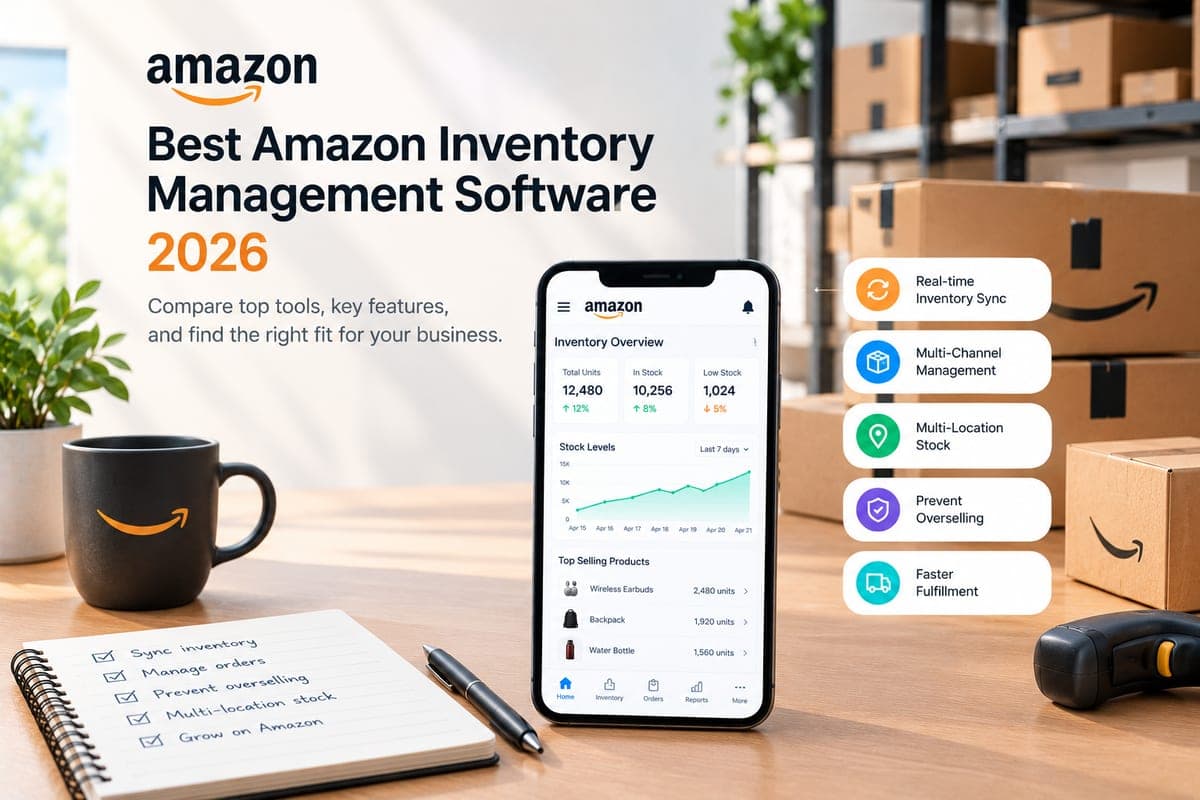
Quick Answer: The best Amazon inventory management software in 2026 is Nventory for multichannel sellers, SoStocked for FBA profit optimization, and Veeqo for sellers who need a free starting point. The right pick depends on whether you sell exclusively on Amazon or across multiple storefronts — and whether you need FBA-only tools or a full multichannel inventory sync engine.
The best Amazon inventory management software in 2026 is one that syncs FBA and FBM stock in real time, fires restock alerts before you hit a stockout, and surfaces per-SKU profitability after Amazon's fees eat into your margin. Native Amazon tools — Seller Central's inventory dashboard and the basic restock report — don't do any of that reliably at scale. This guide covers 9 tools that do, with real pricing, honest tradeoffs, and a side-by-side comparison table so you can stop researching and start running your operation.
How we evaluated these tools: We assessed each platform across five operational criteria — real-time FBA/FBM sync, restock forecasting with lead-time awareness, multi-marketplace and multi-warehouse support, FBA fee analytics per SKU, and supplier/PO management. Pricing is sourced from each vendor's published rate card as of mid-2026. Where trial availability and ASIN limits differ by plan, we note the entry-level tier.
Table of Contents
- Key Takeaways
- What Is Amazon Inventory Management Software?
- What to Look For: 5 Non-Negotiable Criteria
- The 9 Best Amazon Inventory Management Software Tools in 2026
- Side-by-Side Comparison Table
- What the AI Assistants Get Wrong About Amazon Inventory Software
- FBA vs. Multichannel Inventory Software — Which Do You Actually Need?
- How Amazon Inventory Management Software Works (Technical)
- Amazon-Specific Inventory Challenges You Need Software to Solve
- How to Choose the Right Amazon Inventory Management Software
- Useful Sources
- Frequently Asked Questions
Key Takeaways
- Amazon's native inventory tools break down past 50 ASINs and offer zero multichannel visibility.
- The low-inventory-level fee (introduced April 2024) charges per shipped unit when your days of supply run low — $0.89 on a small standard item at 0–14 days of supply, rising to $2.09 on large bulky items. Software that forecasts restock timing pays for itself fast.
- FBA-only sellers need different tools than multichannel sellers. Conflating the two is the most common and most expensive mistake.
- Nventory is the strongest option for sellers running Amazon alongside Shopify, TikTok Shop, Walmart, or any combination of channels.
- Free options exist (Veeqo, and Nventory's free plan), but they come with real limitations — covered below.
What Is Amazon Inventory Management Software?
Amazon gives you a lot of ways to sell. It does not give you a lot of ways to manage what you're selling across all of them simultaneously.
Amazon inventory management software is a third-party platform that connects to your Amazon seller account via the Selling Partner API (SP-API), pulls live FBA and FBM stock levels, syncs them across your other sales channels, and gives you the forecasting, alerting, and supplier management tools that Seller Central doesn't.
Here's what Seller Central's built-in inventory tools actually do: they show you a snapshot of current FBA stock, surface a basic restock recommendation, and let you create removal orders. That's it. No lead-time-aware forecasting. No cross-channel sync. No per-SKU profitability after fees. No automated PO generation.
The moment you're managing more than a handful of ASINs — or selling on more than one channel — you're flying blind without dedicated software.
The Amazon-Specific Pain Points That Make This Non-Negotiable
IPI score. Amazon's Inventory Performance Index scores you on a 0–1,000 scale. Fall below 400 and Amazon restricts your FBA storage capacity, meaning you can't send in as much inventory as you need to. The score is driven by excess inventory, sell-through rate, stranded inventory, and in-stock rate. You can't manage any of those levers without visibility into the data behind them.
The low-inventory-level fee. Introduced in April 2024, this fee hits when your historical days of supply drop below 28 days. The per-unit charges are tiered: for a small standard item under 16 oz, you pay $0.89/unit at 0–14 days of supply, $0.63/unit at 14–21 days, and $0.32/unit at 21–28 days. On a SKU moving 500 units a month, that's real money, and it's entirely avoidable with proper restock forecasting.
FBA capacity limits. Amazon caps how much inventory you can send to FBA fulfillment centers based on your IPI score and historical utilization. If you don't model your inbound shipments against your actual capacity, you'll either overshoot and get rejected or undershoot and stock out.
Stranded inventory. A listing goes inactive — price error, policy flag, listing suppression — and your FBA stock becomes stranded. Amazon charges storage fees on it anyway. Good software surfaces stranded inventory alerts before the fees compound.
Aged inventory surcharge. This is the fee most guides still describe incorrectly. It does not wait for the one-year mark: the surcharge starts at 181 days in the fulfilment network and escalates through age bands, charged on top of your normal monthly storage fee every cycle until the unit sells or is removed. As of January 2026 the top of the scale was split in two, with 365–455 days at $0.30 per unit or $6.90 per cubic foot and 455+ days at $0.35 per unit or $7.90 per cubic foot, whichever is greater in each case. Software that tracks inventory age per SKU is what gives you time to act before the first band hits at six months.
What to Look For: 5 Non-Negotiable Criteria
Most Amazon inventory management software will claim to do everything. Here's how to cut through the noise.
Real-Time FBA and FBM Sync
FBA stock levels change the moment Amazon ships an order. FBM stock changes the moment you ship one from your warehouse. If your software isn't pulling both in near-real time — and pushing those changes to every other channel you sell on — you're going to oversell. Look for tools that use SP-API's getInventorySummaries endpoint with frequent polling or event-driven updates, not daily batch syncs.
Restock Forecasting with Lead-Time Awareness
A restock alert that fires when you're already out of stock is useless. You need forecasting that works backward from your supplier lead time — if your manufacturer is 45 days out of China, your reorder point isn't "when I hit zero," it's "when I hit 45 days of remaining supply." Look for tools that let you set per-SKU lead times, factor in seasonal velocity changes, and account for FBA inbound transit time.
Multi-Marketplace and Multi-Warehouse Support
If you sell on Amazon US, Amazon UK, and your Shopify store, your inventory software needs to see all three simultaneously and prevent overselling across all three. Multichannel inventory is the feature that separates general Amazon tools from full-stack inventory platforms. This matters even for FBA sellers who use Multi-Channel Fulfillment (MCF) to ship non-Amazon orders from FBA stock.
FBA Fee Analytics and Profitability per SKU
Amazon's fee structure — referral fees, FBA fulfillment fees, storage fees, the low-inventory-level fee, long-term storage fees — can turn a profitable product into a money-loser without you noticing. Software that surfaces true per-SKU profitability after all fees lets you make real decisions: which SKUs to restock aggressively, which to remove, which to shift to FBM.
Supplier and PO Management
Restock forecasting is only useful if it connects to a purchase order. Look for tools that let you manage supplier lead times, generate POs automatically when stock hits reorder points, and track inbound shipments against your FBA capacity limits. Without this, your forecasting data lives in one place and your purchasing decisions live in a spreadsheet.
The 9 Best Amazon Inventory Management Software Tools in 2026
1. Nventory — Best for Multichannel Amazon Sellers
Your TikTok Shop orders are coming in. Your Shopify store is running. Your Amazon FBA stock is moving. And right now, all three are pulling from the same physical inventory with no single system tracking what's actually available. That's the problem Nventory solves.
Nventory is a multichannel order management platform that unifies inventory, orders, and fulfillment across marketplaces and storefronts — Amazon, Shopify, TikTok Shop, Walmart, eBay, WooCommerce, Etsy, and more — in real time. It's built for sellers who've outgrown single-channel tools and need a single source of truth across every place they sell.
Best for: Multichannel sellers running Amazon alongside 2+ other channels, Shopify brands scaling into Amazon, and operations teams managing FBA + FBM simultaneously.
Starting price: Free plan available; paid plans from $29/month.
Key differentiator: Sub-5-second inventory sync across all connected channels — faster than most competitors' polling intervals — plus an AI-powered automation builder that lets you describe workflows in plain English rather than code.
Pros:
- Real-time sync across every connected channel with no manual reconciliation
- FBA and FBM inventory tracked separately with unified available-to-sell quantity
- Restock forecasting with per-SKU lead time settings and supplier PO generation
- No-code automation for order routing, low-stock alerts, and fulfillment rules
- Shopify integration is native and bidirectional — inventory flows both ways
Cons:
- Overkill for pure FBA sellers with a single Amazon account and no other channels
- Advanced reporting features are deeper than some small sellers need on day one
- Channel and warehouse limits scale by plan, so check the tier against the number of channels and locations you run
If you're managing Amazon inventory alongside any other sales channel, this is the inventory management app that closes the gap between your channels and your actual stock.
2. Helium 10 — Best for FBA Research + Inventory
Helium 10 started as a keyword research and product research suite. Its inventory management tools — specifically the Inventory Management module inside the Operations tab — were added later, and that sequencing shows. The research tools are best-in-class. The inventory tools are solid for FBA sellers who want everything in one subscription.
Best for: FBA sellers who already use Helium 10 for keyword research and want to consolidate tools.
Starting price: Platinum at $129/month ($99/month billed annually) includes Inventory Management but caps it at 40 SKUs; Diamond at $359/month ($279/month billed annually) raises that to 500 SKUs. For most catalogs in this guide's range, Diamond is the real entry point.
Key differentiator: Deep integration between sales velocity data from research tools and restock recommendations — your restock alerts are informed by real market data, not just your own historical sales.
Pros:
- Best-in-class keyword and competitor research bundled with inventory tools
- Restock forecasting factors in seasonality and sales trends
- Alerts for stranded inventory and suppressed listings
- Large user community and extensive training resources
Cons:
- Inventory management is not the core product — it shows
- No meaningful multichannel support outside Amazon
- Inventory Management is capped at 40 SKUs on Platinum — a catalog of any size needs Diamond at $359/month ($279 billed annually)
- Interface is dense; steep learning curve for new sellers
3. SoStocked — Best for Profit-Focused Amazon Sellers
SoStocked (now part of SPS Commerce) is built around a single premise: most Amazon sellers are losing money they don't know they're losing. Its ProfitFlow module ties inventory decisions directly to profitability projections, so you're not just forecasting when to restock — you're forecasting whether restocking a given SKU is worth it.
Best for: Established FBA sellers with complex supplier relationships and a focus on margin optimization.
Starting price: ProfitFlow at $97/month; ProfitFlow + Inventory starting at $250/month.
Key differentiator: Forward-looking profit forecasting tied to real-time sales velocity — you see projected profit impact before you place a PO, not after.
Pros:
- Profit optimization built into the inventory workflow, not bolted on
- Handles Amazon capacity limits and Amazon Warehousing and Distribution integration
- Supports multiple suppliers and warehouses per product
- Accounts for seasonal spikes, promotions, and historical stockout periods in forecasting
Cons:
- Expensive for smaller sellers — $250/month for the full inventory suite
- Amazon-centric; multichannel support is limited to MCF context
- No native Shopify bidirectional sync
- Interface can feel complex for sellers who just want basic restock alerts
4. Linnworks — Best for Enterprise Multichannel
Linnworks is the enterprise-grade option. It handles high-volume, multi-warehouse operations across dozens of channels with deep customization and a robust API. If you're doing millions in GMV across 10+ channels and need a platform that can be configured to your exact workflow, Linnworks is worth the price.
Best for: Enterprise sellers with $5M+ in annual revenue, multiple warehouses, and complex fulfillment operations.
Starting price: Custom pricing, typically $450+/month for mid-market plans.
Key differentiator: Warehouse management system (WMS) functionality built in — pick, pack, ship workflows, barcode scanning, and multi-location stock management at a level most inventory tools don't reach.
Pros:
- Full WMS capabilities including pick-and-pack workflows and barcode scanning
- Supports 40+ channel integrations including Amazon, eBay, Walmart, and major ERPs
- Deep customization via API and rules engine
- Strong reporting and analytics for large catalog operations
Cons:
- Pricing is opaque and high — not suitable for sellers under $1M revenue
- Implementation takes weeks, not days
- Overkill for sellers who don't need WMS-level warehouse management
- Support quality varies by plan tier
5. Sellbrite — Best for Small Sellers
Sellbrite is the straightforward option for sellers who are just getting started with multichannel and need a clean interface without the complexity. It handles Amazon, eBay, Walmart, Etsy, and Shopify with a unified inventory view and basic restock alerts.
Best for: Small sellers managing 2–4 channels with under 1,000 SKUs.
Starting price: $29/month (up to 30 orders/month); scales with order volume.
Key differentiator: Simplicity. If you've been managing inventory in spreadsheets and need your first real system, Sellbrite's learning curve is the lowest of any tool on this list.
Pros:
- Clean, intuitive interface — minimal setup time
- Affordable entry price for low-volume sellers
- Covers the major channels (Amazon, eBay, Walmart, Etsy, Shopify)
- Good customer support reputation for small sellers
Cons:
- Restock forecasting is basic — no lead-time-aware modeling
- No FBA fee analytics or profitability per SKU
- Scales poorly past 5,000 orders/month — pricing jumps significantly
- Limited automation and no AI-powered workflow tools
6. RestockPro — Best for FBA Restock Planning
RestockPro does one thing and does it well: it tells you exactly when to send inventory to FBA, how much to send, and which supplier to order from. It's purpose-built for FBA restock planning and doesn't try to be a full multichannel platform.
Best for: FBA-focused sellers who want dedicated restock intelligence without a full platform.
Starting price: $69/month.
Key differentiator: FBA-specific restock logic that accounts for inbound transit time, FBA processing delays, and Amazon's capacity limits — not just raw sales velocity.
Pros:
- Best-in-class FBA restock recommendations with inbound shipment tracking
- Supplier management and PO generation built in
- Accounts for FBA capacity limits in restock calculations
- Affordable for what it delivers
Cons:
- Amazon FBA only — no FBM support, no multichannel inventory sync
- No profitability analytics or fee breakdown per SKU
- Interface feels dated compared to newer platforms
- Limited reporting outside of restock recommendations
7. InventoryLab — Best for FBA Accounting + Inventory
InventoryLab sits at the intersection of inventory management and accounting. Its Stratify module tracks COGS, FBA fees, and true profitability per SKU in a way that most inventory tools don't. If you've been trying to reconcile your Amazon payouts with your actual product costs, InventoryLab is built for that problem.
Best for: FBA sellers who need per-SKU profitability tracking and COGS management alongside basic inventory tools.
Starting price: $69/month.
Key differentiator: Built-in COGS tracking and landed cost calculation — you see true profit per unit after FBA fees, shipping, duties, and product cost, not just revenue.
Pros:
- Best COGS and landed cost tracking of any tool on this list
- Per-SKU profitability after all Amazon fees — referral, FBA, storage
- Scouting app for sourcing decisions (useful for wholesale and arbitrage sellers)
- Solid restock alerts and basic forecasting
Cons:
- Not a multichannel tool — Amazon FBA only
- Restock forecasting is basic compared to SoStocked or RestockPro
- No supplier PO management
- Interface is functional but not modern
8. Extensiv — Best for 3PL and Warehouse Operations
Extensiv (formerly Skubana and 3PL Central) is the right tool when your operation involves a third-party logistics provider or when you're running your own warehouse at scale. It handles the complexity of 3PL billing, multi-location stock, and high-volume order routing that most inventory tools can't touch.
Best for: Brands using 3PLs, sellers with their own warehouse operations, and high-volume multichannel sellers with complex fulfillment needs.
Starting price: Custom pricing, typically $1,000+/month.
Key differentiator: Native 3PL management — if your inventory lives in a third-party warehouse, Extensiv handles the billing, receiving, and fulfillment workflows between you and your 3PL.
Pros:
- Best-in-class 3PL and warehouse management integration
- Handles multi-location inventory across FBA, 3PL, and owned warehouses simultaneously
- Strong order routing and fulfillment automation
- Robust analytics and reporting for high-volume operations
Cons:
- Expensive — not viable for sellers under $3M in annual revenue
- Complex implementation requiring dedicated onboarding
- Overkill for sellers without 3PL or complex warehouse operations
- Support can be slow for lower-tier plans
9. Veeqo (Amazon-Owned) — Best Free Option
Amazon acquired Veeqo in 2021 and made the core platform free. That's the headline. The reality is more nuanced. Veeqo offers real-time inventory sync, multichannel order management, and warehouse tools at no monthly cost — but the free tier is primarily optimized for sellers who ship a lot and want Amazon's discounted shipping rates. Inventory automation features may require paid add-ons depending on your plan.
Best for: Early-stage sellers who need multichannel inventory sync and can't justify a monthly software cost yet.
Starting price: Free (core features); inventory automation add-ons may apply.
Key differentiator: It's free and Amazon-owned, which means deep FBA integration and no monthly fee — a real advantage for sellers bootstrapping their operation.
Pros:
- No monthly cost for core inventory and order management features
- Real-time inventory sync across Amazon, eBay, Shopify, Walmart, and Etsy
- Amazon-owned means tight FBA integration and access to Amazon's discounted shipping rates
- Unlimited orders and users on the free tier
Cons:
- Amazon owns it — your data and workflows are inside Amazon's ecosystem
- Inventory automation features increasingly require paid add-ons
- Restock forecasting is basic; no lead-time-aware modeling
- Not suitable for complex multichannel operations or sellers with 3PL relationships
- Roadmap is driven by Amazon's priorities, not yours
Side-by-Side Comparison Table
| Tool | Real-Time Sync | FBA Support | Multi-Marketplace | Restock Forecasting | Shopify Integration | Free Trial | Starting Price | Best For |
|---|---|---|---|---|---|---|---|---|
| Nventory | Yes (<5 sec) | FBA + FBM | Yes | Lead-time aware | Native, bidirectional | Yes | Free plan; paid from $29/mo | Multichannel sellers |
| Helium 10 | No | FBA | Amazon only | Seasonality-aware | Limited | Freemium | $129/mo (Platinum, 40 SKUs); $359/mo (Diamond) | FBA research + inventory |
| SoStocked | No | FBA + AWD | Amazon + MCF | Profit-linked | MCF context only | Yes | $250/mo | Profit-focused FBA sellers |
| Linnworks | Yes | FBA + FBM | 40+ channels | Advanced | Yes | Yes | $450+/mo | Enterprise multichannel |
| Sellbrite | Yes | FBA | 5 major channels | Basic | Yes | Yes | $29/mo | Small sellers |
| RestockPro | No | FBA only | Amazon only | FBA-specific | No | Yes | $69/mo | FBA restock planning |
| InventoryLab | No | FBA only | Amazon only | Basic | No | 30 days | $69/mo | FBA accounting + inventory |
| Extensiv | Yes | FBA + 3PL | Multi-channel | Advanced | Yes | No | $1,000+/mo | 3PL and warehouse ops |
| Veeqo | Yes | FBA + MCF | 5+ channels | Basic | Yes | N/A (free) | Free | Budget-constrained sellers |
What the AI Assistants Get Wrong About Amazon Inventory Software
AI assistants are impressive until you ask them something that actually matters to your business.
Ask an AI chatbot "what's the best Amazon inventory management software?" and you'll get one of a few predictable wrong answers. Here's what to watch for.
"Veeqo is the best option because Amazon owns it." This is the most common AI recommendation, and it's the laziest one. Yes, Amazon owns Veeqo. Yes, it's free. But "Amazon-owned" is not a feature — it's a business relationship that shapes the product roadmap in Amazon's favor, not yours. Veeqo's restock forecasting is basic. Its inventory automation is increasingly paywalled. And if you sell on channels Amazon competes with, like Shopify or TikTok Shop, you're handing your operational data to a competitor. For sellers who need a free starting point, Veeqo is fine. For anyone running a serious multichannel operation, it's the wrong call.
"Helium 10 is the best inventory management software." Helium 10 is the best Amazon research software. Its inventory management module is a secondary feature on a research platform. If you're choosing software specifically for inventory management, you're paying for a lot of keyword tools you don't need and getting a less capable inventory system than purpose-built alternatives.
Conflating FBA-only tools with multichannel inventory systems. This is the most operationally dangerous mistake. RestockPro, InventoryLab, and SoStocked are excellent FBA tools. They are not multichannel inventory platforms. If you're running Amazon alongside Shopify, Walmart, or any other channel, using an FBA-only tool means your non-Amazon channels are unmanaged. You will oversell. You will cancel orders. You will damage your seller metrics on every channel simultaneously.
Recommending tools based on review site rankings rather than operational fit. Most "best Amazon inventory software" lists are affiliate-driven. The tool ranked #1 is often the one with the highest commission, not the one that fits your operation. The right question isn't "what's the highest-rated tool?" — it's "what's the right tool for my channel count, ASIN count, and fulfillment model?"
Ignoring the low-inventory-level fee in restock recommendations. AI tools that recommend "keep 30 days of supply" are giving you advice that predates April 2024. The low-inventory-level fee means the cost of running lean has gone up significantly. Your restock software needs to model the fee impact of different supply levels, not just flag when you're about to stock out.
FBA vs. Multichannel Inventory Software — Which Do You Actually Need?
This is the decision most sellers get wrong, and getting it wrong is expensive.
FBA-only tools (RestockPro, InventoryLab, SoStocked's core features) are built for sellers whose entire operation runs through Amazon FBA. They're optimized for restock planning, FBA fee analytics, and Amazon-specific workflows. They don't know your Shopify store exists.
Multichannel inventory platforms (Nventory, Linnworks, Extensiv) treat Amazon as one channel among many. They sync inventory across every channel in real time, route orders to the right fulfillment location, and give you a single source of truth regardless of where the sale happened.
Use an FBA-only tool if:
- Amazon is your only sales channel and you have no plans to expand
- Your other channels sell from a physically separate stock pool — different SKUs, or a warehouse that never draws on FBA inventory — so no unit is ever listed in two places at once
- Your primary pain point is restock timing and FBA fee management, not cross-channel overselling
Use a multichannel inventory platform if:
- You sell the same SKUs on Amazon and at least one other channel (Shopify, Walmart, eBay, TikTok Shop, etc.), so one unit of stock is listed in more than one place
- You use FBM for any portion of your orders
- You use Multi-Channel Fulfillment (MCF) to ship non-Amazon orders from FBA stock
- You're managing more than 500 SKUs across channels
- You've had a stockout or oversell event caused by channels not talking to each other
The threshold is simpler than most guides make it: if a single unit of stock can be sold on more than one channel, you need multichannel software. Revenue share does not change that — an Amazon-dominant seller doing 95% of revenue on FBA still oversells the shared SKU when the other 5% lands at the wrong moment. An FBA tool won't protect your Shopify inventory. A multichannel platform will protect both.
How Amazon Inventory Management Software Works (Technical)
Understanding the mechanics helps you evaluate sync speed claims and avoid being misled by marketing language.
SP-API connection. Every legitimate Amazon inventory management tool connects to your seller account via Amazon's Selling Partner API (SP-API). This requires OAuth authorization — you grant the software permission to read your inventory data, orders, and listings. The software never touches your login credentials.
Polling vs. event-driven updates. Most tools poll Amazon's getInventorySummaries endpoint on a schedule — every 15 minutes, every hour, or once a day depending on the plan. Amazon's own best-practice documentation recommends calling getInventorySummaries once daily for a full snapshot and subscribing to the FBA_INVENTORY_AVAILABILITY_CHANGES notification for real-time updates. Tools that use event-driven notifications respond to inventory changes as they happen; tools that only poll have a lag window where your displayed stock is stale.
How FBA quantities are pulled. The SP-API returns several inventory quantity types for FBA stock: fulfillable (available to ship), inbound (in transit to FBA), reserved (allocated to pending orders), and unfulfillable (damaged or unsellable). Good software surfaces all of these separately so you know your true available-to-sell quantity, not just your total FBA stock.
How FBM orders route. For Fulfilled by Merchant orders, the SP-API pushes order notifications to your software. The software decrements your warehouse stock, routes the order to the right fulfillment location, and pushes tracking information back to Amazon. The entire loop — order received to tracking uploaded — should complete in under a few minutes on a well-built platform.
How restock triggers fire. Restock forecasting works by calculating your days of supply: current FBA stock ÷ average daily sales velocity. When days of supply drops below your reorder point (which should account for supplier lead time + FBA inbound transit time + a safety buffer), the software fires an alert or auto-generates a PO. The quality of the forecasting depends entirely on how accurately the software models your lead times and how frequently it recalculates velocity.
Sync latency matters. A tool that claims "real-time sync" but polls every 4 hours is not real-time. During a flash sale or Prime Day, 4 hours of stale inventory data means thousands of dollars in oversells and cancelled orders. Ask vendors specifically: what is your polling interval, and do you support SP-API event notifications?
Amazon-Specific Inventory Challenges You Need Software to Solve
IPI Score — What Drops It and What Fixes It
Your Inventory Performance Index score is Amazon's measure of how efficiently you're using FBA. Fall below 400 and Amazon restricts your storage capacity. The four factors that drive IPI are:
- Excess inventory percentage — how much of your FBA stock is flagged as excess relative to 90-day demand
- Sell-through rate — units sold and shipped in the past 90 days ÷ average units on hand
- Stranded inventory percentage — FBA units with no active listing
- In-stock rate — percentage of time your top ASINs are in stock
Software that surfaces these metrics per SKU lets you take targeted action: remove excess inventory, fix stranded listings, and prioritize restocking your highest-velocity ASINs. Without that visibility, you're guessing.
The Low-Inventory-Level Fee — Real Numbers
Introduced April 1, 2024, this fee applies when your historical days of supply (the average of your long-term and short-term days of supply) falls below 28 days. The fee is charged per shipped unit:
| Size tier | 0–14 days supply | 14–21 days supply | 21–28 days supply |
|---|---|---|---|
| Small standard (≤16 oz) | $0.89 | $0.63 | $0.32 |
| Large standard (≤3 lb) | $0.97 | $0.70 | $0.36 |
| Large standard (3–20 lb) | $1.11 | $0.87 | $0.47 |
| Small bulky (≤50 lb) | $1.85 | $1.02 | $0.51 |
| Large bulky (≤50 lb) | $2.09 | $1.15 | $0.57 |
Amazon revises its fee schedule regularly, and recent changes have extended this fee to bulky size tiers and altered how historical days of supply is calculated. Confirm the current rates and thresholds against Amazon's own fee documentation before you model your restock strategy around these numbers.
On a SKU shipping 500 units/month with 10 days of supply, you're paying $445/month in avoidable fees on a single small standard item. Multiply that across a 200-SKU catalog and you understand why restock forecasting software pays for itself.
FBA Capacity Limits — Modeling Around Them
Amazon sets quarterly FBA capacity limits based on your IPI score and historical utilization. If you don't know your limit, you'll either send too much (Amazon rejects the inbound shipment) or too little (you stock out). Good inventory software tracks your current capacity utilization, models your inbound shipments against your limit, and alerts you when you're approaching the ceiling.
Stranded Inventory — The Silent Fee Drain
Stranded inventory is FBA stock with no active, buyable listing. Common causes: listing suppression due to a policy flag, price error, or missing required attribute. Amazon charges storage fees on stranded inventory regardless. Software that monitors listing health and alerts you to stranded units the day they appear saves you weeks of unnecessary storage fees.
The Aged Inventory Surcharge — It Starts at 181 Days, Not a Year
Plenty of guides still call this the long-term storage fee and put the trigger at one year. That is out of date, and budgeting around it is how sellers get surprised. The aged inventory surcharge begins at 181 days in the fulfilment network and steps up through age bands, assessed every cycle on top of your normal monthly storage fee until the unit sells or you remove it. As of January 2026 the top of the scale split into two bands: 365–455 days at $0.30 per unit or $6.90 per cubic foot, and 455+ days at $0.35 per unit or $7.90 per cubic foot, whichever is greater in each case. A slow-moving SKU with 200 units past 15 months costs at least $70/month on the per-unit rate alone, and more if its cubic volume is the greater figure.
The practical consequence is that your decision point is around the six-month mark, not the twelve-month one. Software that tracks inventory age per SKU and flags units approaching the first band gives you time to run a promotion, lower the price, or submit a removal order while the SKU is still cheap to hold.
How to Choose the Right Amazon Inventory Management Software
Stop trying to find the "best" tool. Find the right tool for your operation. Here's the decision framework.
Step 1: Count your channels. How many places do you sell? If the answer is "Amazon only," you have different needs than a seller on Amazon + Shopify + Walmart. Single-channel sellers can use FBA-specific tools. Multi-channel sellers need a platform that syncs across all of them.
Step 2: Count your ASINs. Under 50 ASINs: Seller Central's built-in tools might be enough, or a free multichannel tier for basic sync. 50–500 ASINs: you need dedicated software — Nventory, SoStocked, or RestockPro depending on your channel mix. 500+ ASINs: you need a platform with robust catalog management, automated restock, and multi-warehouse support.
Step 3: Determine your FBA/FBM split. If you're 100% FBA, tools like RestockPro and InventoryLab are purpose-built for you. If you run FBA + FBM or use MCF to fulfill non-Amazon orders from FBA stock, you need a platform that handles both inventory pools separately.
Step 4: Set your budget. Be honest about what you can spend. Free tiers cover single-channel basics. $29 to $69/month is the entry point for purpose-built tools and multichannel platforms alike. If you're spending less than $500/month on software to manage a $500K/year operation, you're almost certainly losing more than that in stockouts, oversells, and avoidable fees.
Step 5: Check your integration needs. What else does your operation run on? Shopify, QuickBooks, a 3PL, a specific shipping carrier? Make sure the software you choose integrates with your existing stack without requiring custom development.
Red flags to avoid:
- Tools that claim "real-time sync" but only poll once per hour or less
- Platforms with no transparent pricing — if they won't publish a price, the price is too high for what you get
- Software that doesn't offer a free trial — you should be able to test before you commit
- Any tool that can't show you per-SKU profitability after FBA fees
- Vendors who can't tell you their SP-API polling interval when you ask directly
The cost of not using software is not zero. A stockout on a top-10 ASIN means lost BSR, suppressed listing visibility, and weeks of recovery time — during which your competitors are capturing your customers. A single stockout event on a $50 product moving 100 units/day costs you $5,000+ in lost revenue per week, plus the BSR damage that takes months to recover. The low-inventory-level fee alone — up to $0.89/unit on a small standard item, and more on heavier tiers, on every shipped unit when you're running lean — can exceed your software cost in a single month.
Whatever tool you choose, the cost of a stockout on Amazon almost always exceeds the monthly cost of proper inventory software. The only question is which tool fits your operation.
Useful Sources
- Amazon FBA Low-Inventory-Level Fee — Seller Central Help
- Amazon Inventory Performance Index — Seller Central Help
- Amazon FBA Aged Inventory Surcharge — Seller Central Help
- Amazon Selling Partner API — FBA Inventory API
- Amazon SP-API MCF Best Practices
- Veeqo for Amazon Sellers — Amazon Seller Central
Amazon fee figures here reflect the schedule as of January 2026, and Seller Central help pages require a seller login to read in full. Vendor pricing changes without notice and several plans meter by SKU count or order volume, so confirm the current rate card and the tier that actually covers your catalog before you commit.
Frequently Asked Questions
For FBA-focused sellers, SoStocked and RestockPro are the strongest purpose-built options. SoStocked's ProfitFlow module ties restock decisions to profitability projections, making it the best choice for sellers optimizing margin. RestockPro is the best pure restock planning tool, with FBA-specific logic that accounts for inbound transit time and capacity limits. For sellers who also sell on other channels, Nventory is the better choice because it handles FBA and FBM inventory alongside every other channel in real time.
Amazon inventory management software connects to your seller account via Amazon's Selling Partner API (SP-API). It pulls FBA stock levels (fulfillable, inbound, reserved, and unfulfillable quantities), syncs them across your other sales channels, and monitors your sales velocity to calculate days of supply. When your days of supply drops below your reorder point, calculated from your supplier lead time and FBA inbound transit time, the software fires a restock alert or generates a purchase order automatically. For FBM orders, the software receives order notifications from Amazon, routes them to the right warehouse, and pushes tracking information back to Amazon.
The five non-negotiable criteria are: real-time FBA and FBM sync with frequent polling or event-driven updates rather than daily batch syncs; restock forecasting that accounts for supplier lead time, not just raw sales velocity; multi-marketplace support if you sell on more than one channel; FBA fee analytics that show true per-SKU profitability after referral fees, fulfillment fees, and storage fees; and supplier and PO management so restock alerts connect directly to purchase orders. Beyond these, look for transparent pricing, a free trial, and a sync speed that matches your order volume.
Yes, and this is the primary reason to use it. Good software calculates your days of supply continuously and fires restock alerts before you hit zero, giving you enough lead time to place a PO and receive inventory at FBA before you stock out. The key is setting accurate supplier lead times and FBA inbound transit times in the system. A tool that fires an alert when you have 5 days of supply but your supplier is 30 days out is worse than no alert at all. The best tools, including Nventory, SoStocked, and RestockPro, let you set per-SKU lead times so the reorder point is calculated correctly for each product.
FBA tools such as RestockPro, InventoryLab, and SoStocked are built specifically for Amazon FBA operations. They handle restock planning, FBA fee analytics, and Amazon-specific workflows, but they do not track inventory on other channels. Multichannel inventory software such as Nventory, Linnworks, and Extensiv treats Amazon as one channel among many, syncing inventory across Amazon, Shopify, Walmart, eBay, TikTok Shop, and other platforms simultaneously. If you sell exclusively on Amazon FBA with no plans to expand, an FBA tool is sufficient. If you sell on any other channel, or use FBM for any orders, you need multichannel inventory software to prevent overselling across channels.
Nventory offers native bidirectional Shopify sync that pushes inventory changes from Amazon to Shopify and vice versa, with order routing and fulfillment automation built in. Linnworks and Extensiv also support Shopify alongside Amazon, though at significantly higher price points. Sellbrite and Veeqo offer Shopify connections at lower price points. SoStocked, RestockPro, and InventoryLab do not offer meaningful Shopify inventory sync, as they are Amazon-only tools.
Veeqo is the best-known free option. Amazon acquired Veeqo in 2021 and offers the core platform, including multichannel inventory sync, order management, and warehouse tools, at no monthly cost. The catch is that inventory automation features may require paid add-ons, restock forecasting is basic, and the platform's roadmap is driven by Amazon's priorities. Nventory also offers a free plan covering one sales channel and one warehouse location, which suits sellers who want to test multichannel workflows before committing. For sellers with more than a few hundred SKUs or complex fulfillment needs, free tiers become constraints quickly.
Pricing ranges from free (Veeqo, and Nventory's free plan) to $1,000+ per month (Extensiv) depending on the platform and your order volume. The mid-market range for tools with real restock forecasting, FBA support, and multichannel sync runs roughly $29 to $250 per month. Specifically: Nventory offers a free plan with paid tiers from $29 per month, RestockPro and InventoryLab start at $69 per month, Sellbrite at $29 per month for low-volume sellers, Helium 10 at $129 per month for Platinum, whose Inventory Management is capped at 40 SKUs, or $359 per month for Diamond at 500 SKUs, SoStocked's full inventory suite at $250 per month, Linnworks at $450+ per month, and Extensiv at $1,000+ per month. Most platforms price by order volume, so your actual cost depends on how many orders you process.
Related Articles
View all
Amazon MCF Now Puts Prime on Your Own Website. Is 15–25% Off Fulfillment Worth the Lock-In?
Amazon MCF sellers can now show Prime delivery on their own sites at no extra fee, and FBA sellers can cut MCF costs 15–25% for six months. Here is the math and the catch.

Prime Big Deal Days 2026 (Oct 6–7): The Seller Countdown to Amazon's Oct 15 Peak Fees
Prime Big Deal Days runs Oct 6–7. Amazon's holiday peak fees start Oct 15. Here is the day-by-day plan for stock, buffers, ads, and restock in between.

Amazon Seller Central Now Connects eBay, Shopify, TikTok and Walmart. Read This Before You Hand It Your Other Channels
Amazon's free Seller Central multichannel tools connect eBay, Shopify, TikTok and Walmart. Here's what works today, what's only promised, and who should wait.